Skip to content

Sell your pottery on Plukio

List the website you already run, or open a shop right here with no website at all. Either way, shoppers find your work in one search.

Your shop

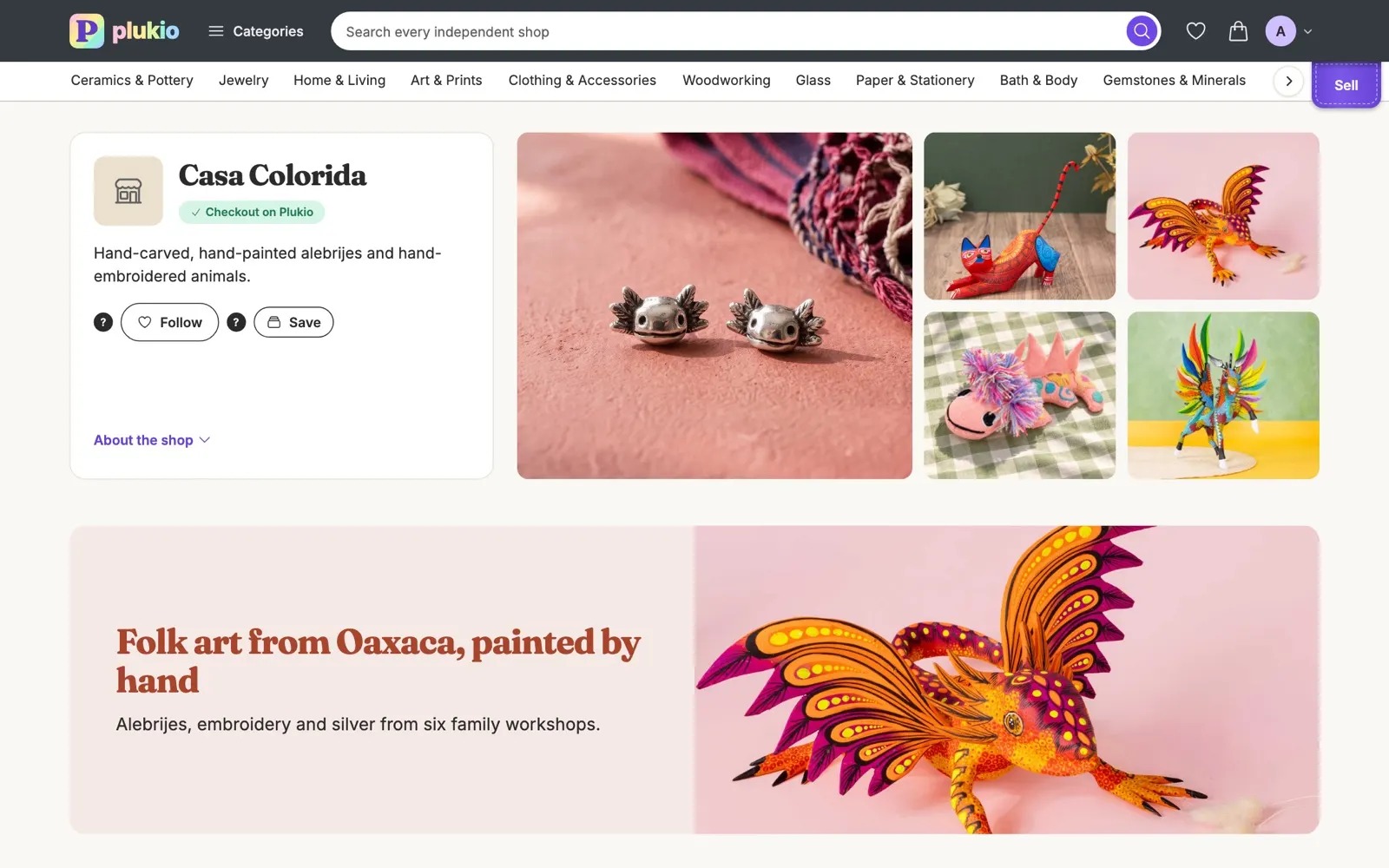
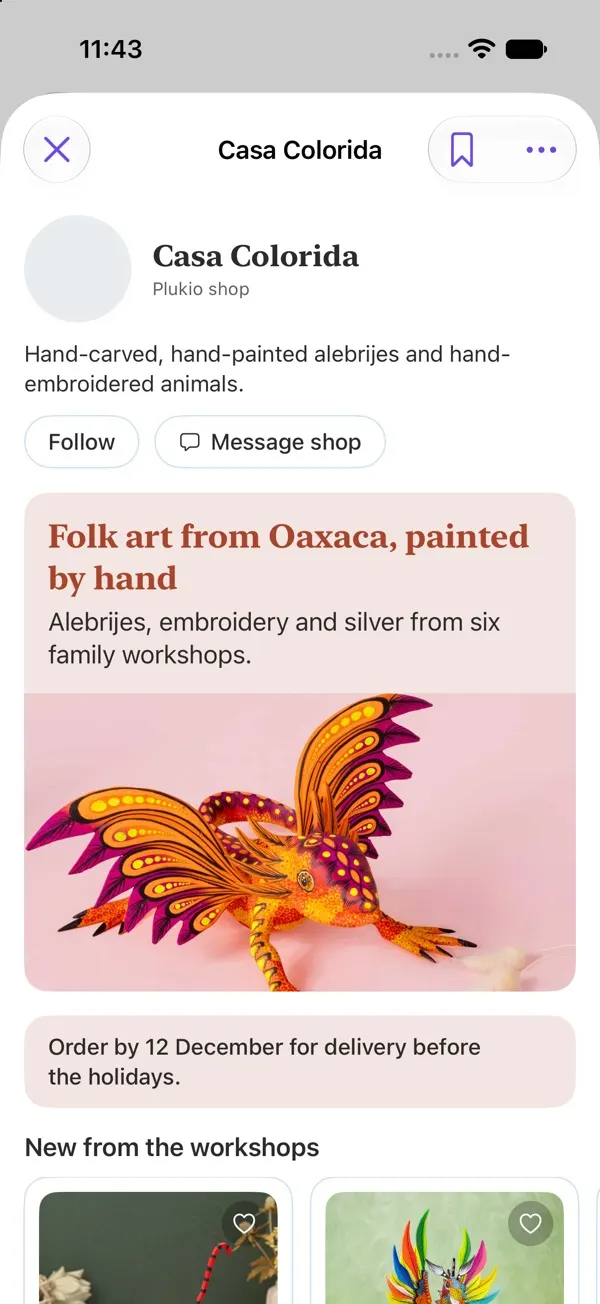
A page of your own.

  • Your own address. yourshop.plukio.com, and old addresses keep redirecting after a rename.
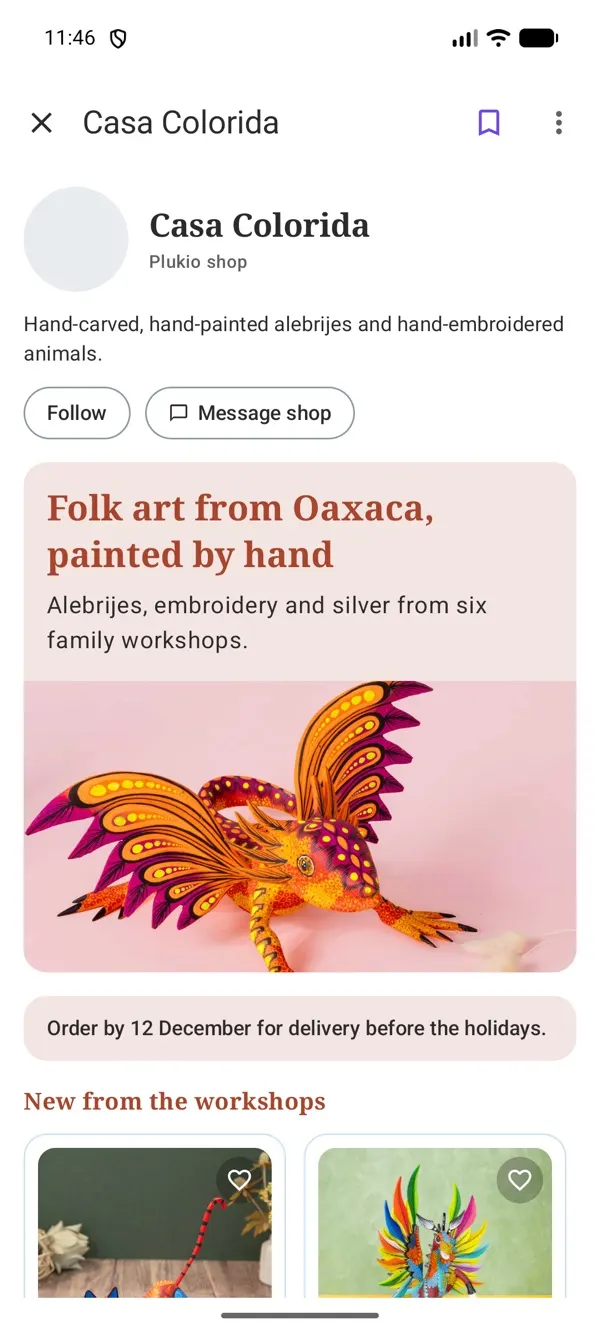
  • A page you arrange. A banner, an announcement, featured items, your story and answers to common questions.
  • About you. A few words about your work, a YouTube maker video and your social links.
  • Checkout on Plukio. Buyers pay right here, into your own Stripe account.
  • Moving from Etsy. Upload the file Etsy downloads for you and every listing comes in as a draft, with its photos.
  • Home Field Advantage. A small, capped nudge where Plukio ranks by relevance.

Customize your shop page

An editor for what your page shows, in what order, and how it looks.

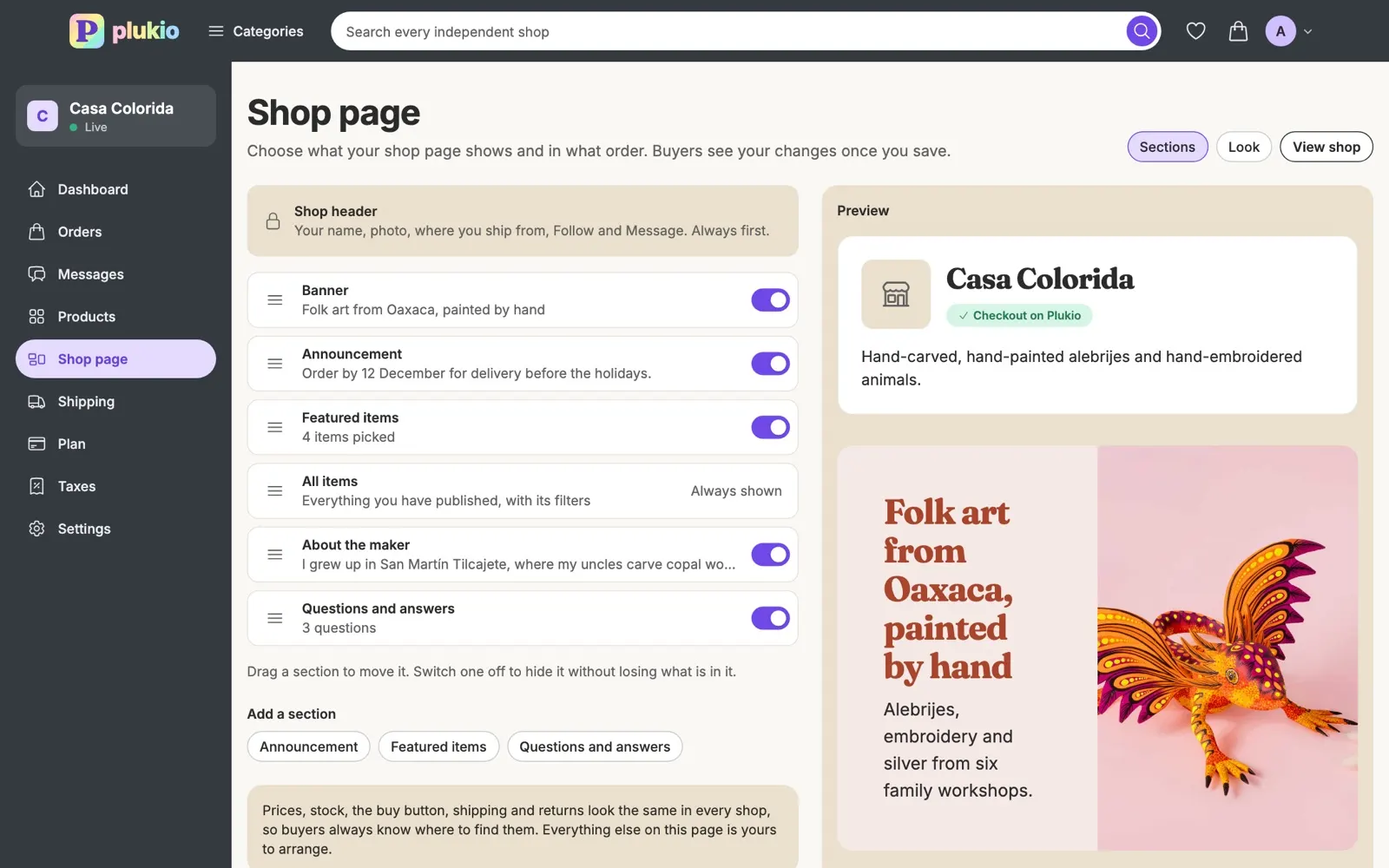
  • Six kinds of section. A banner, an announcement, featured items, your story, your items, and questions with answers.
  • Drag to reorder. Put your story above your items or below them. Switch a section off without losing what is in it.
  • Your look. One of eight accent colours, one of three heading typefaces, and square or tall item photos.
  • Preview, then save. Buyers see nothing until you save.
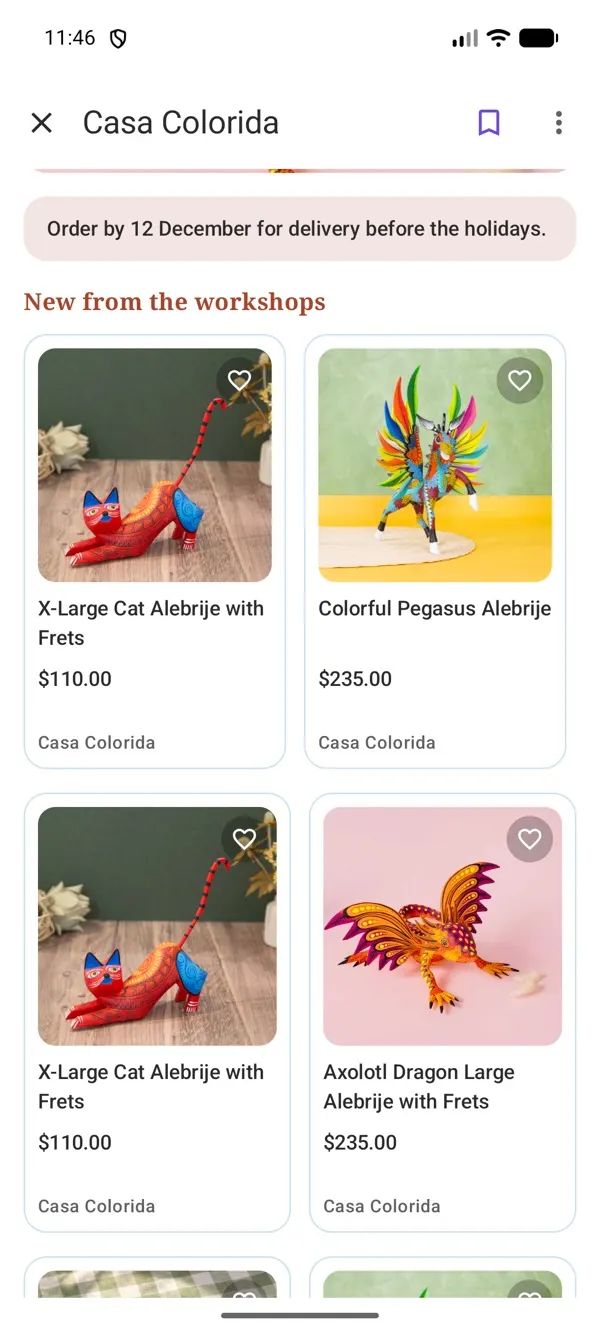
  • The same on every screen. Arrange it once on the website. The iPhone and Android apps show the same page.
  • Buying looks the same in every shop. Prices, stock, the buy button, shipping and returns keep their place.

Listings

Physical or digital, as many as you like.

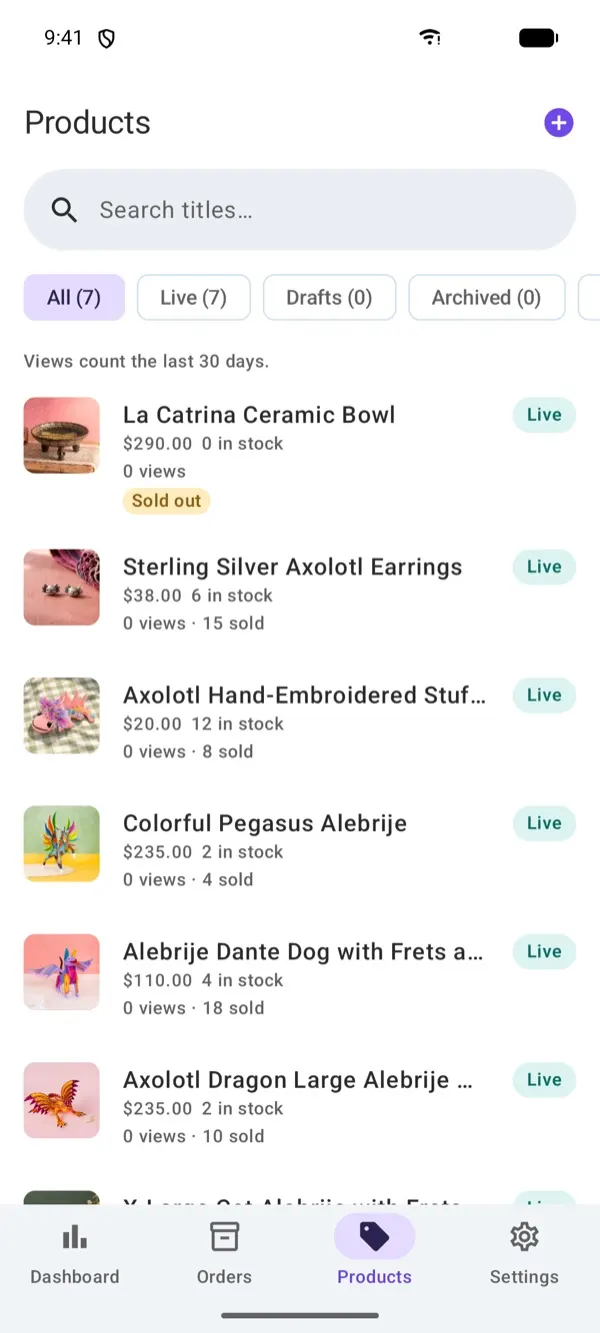
  • Unlimited products. Publish as many as you make, on either plan.
  • Up to 10 photos each. Choose the cover, put them in order and describe each one.
  • Variants. Up to 10 options a product, each with its own price, stock and SKU.
  • Digital files. Up to 4 files of 200 MB each, downloaded as soon as the buyer pays.
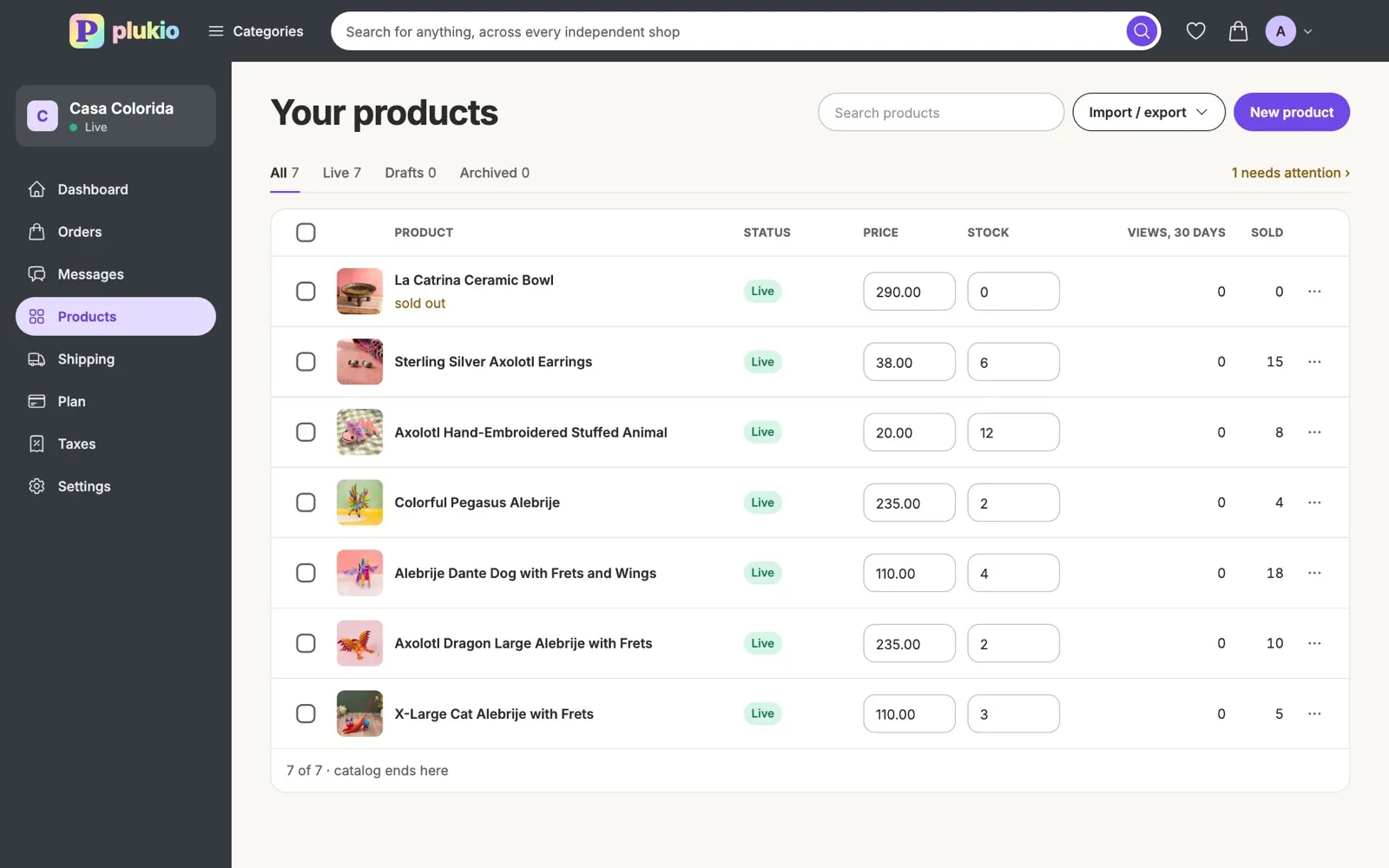
  • Bulk edit. Publish, archive, reprice or restock many products at once.

Custom order forms

Ask for what you need before they buy.

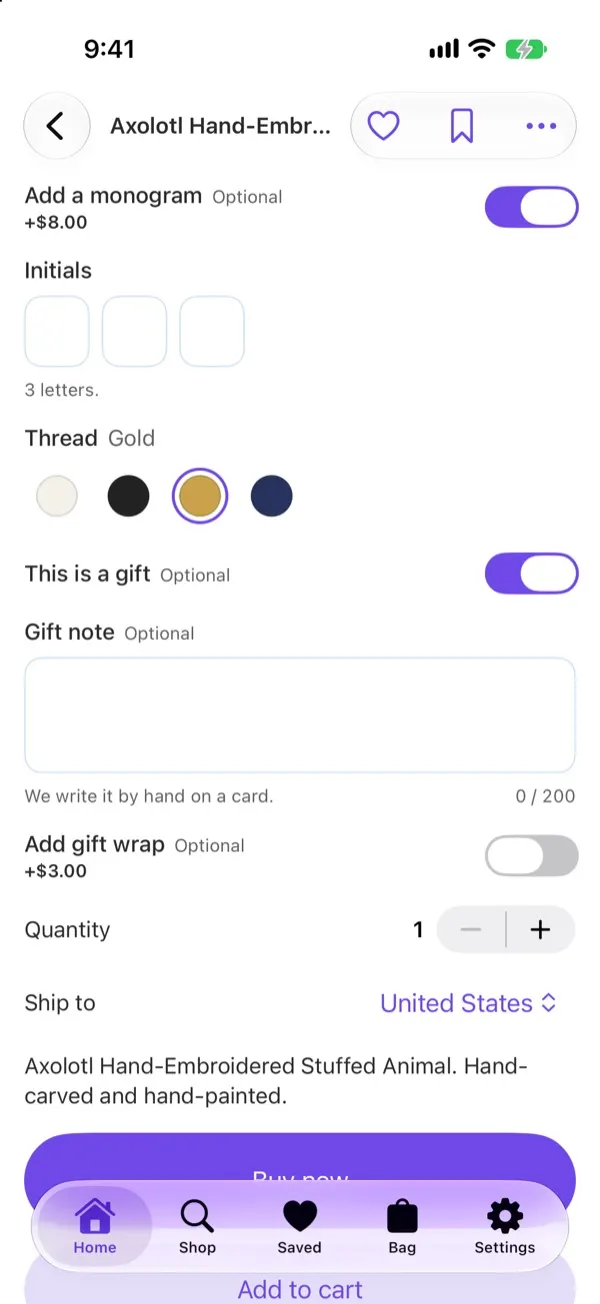
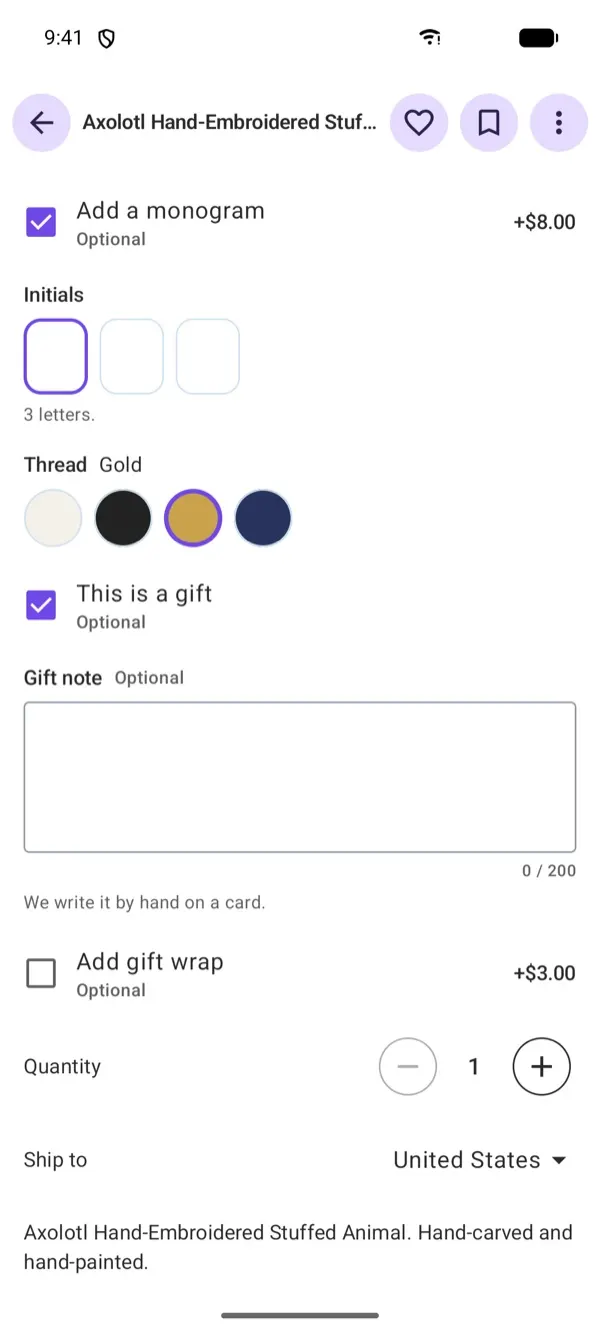
  • Your own questions. A scent, a name to engrave, a size, a date.
  • Answers can add to the price. A choice, a tick, a step or a size can each add an amount.
  • Forms to start from. Engraving, monogram, made to measure, ring, gift options, cut to size and more.
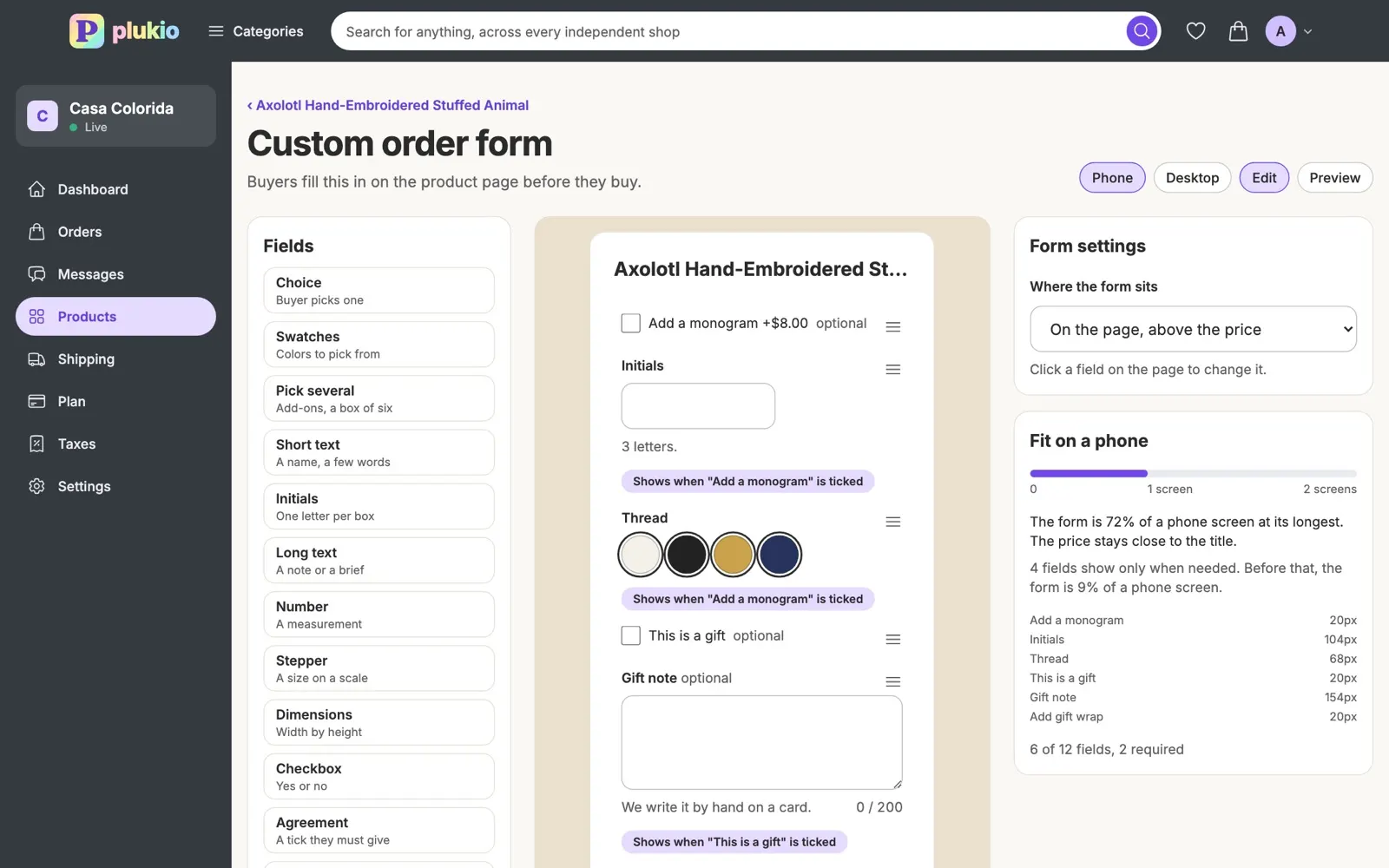
  • Sized for a phone. The editor says how much of a phone screen your form fills.
  • Answers on the order. What the buyer asked for sits with the item they bought.

Orders and shipping

From the sale to the doorstep.

  • Shipping profiles. Set flat rates once, add rates for particular countries, and attach them to products.
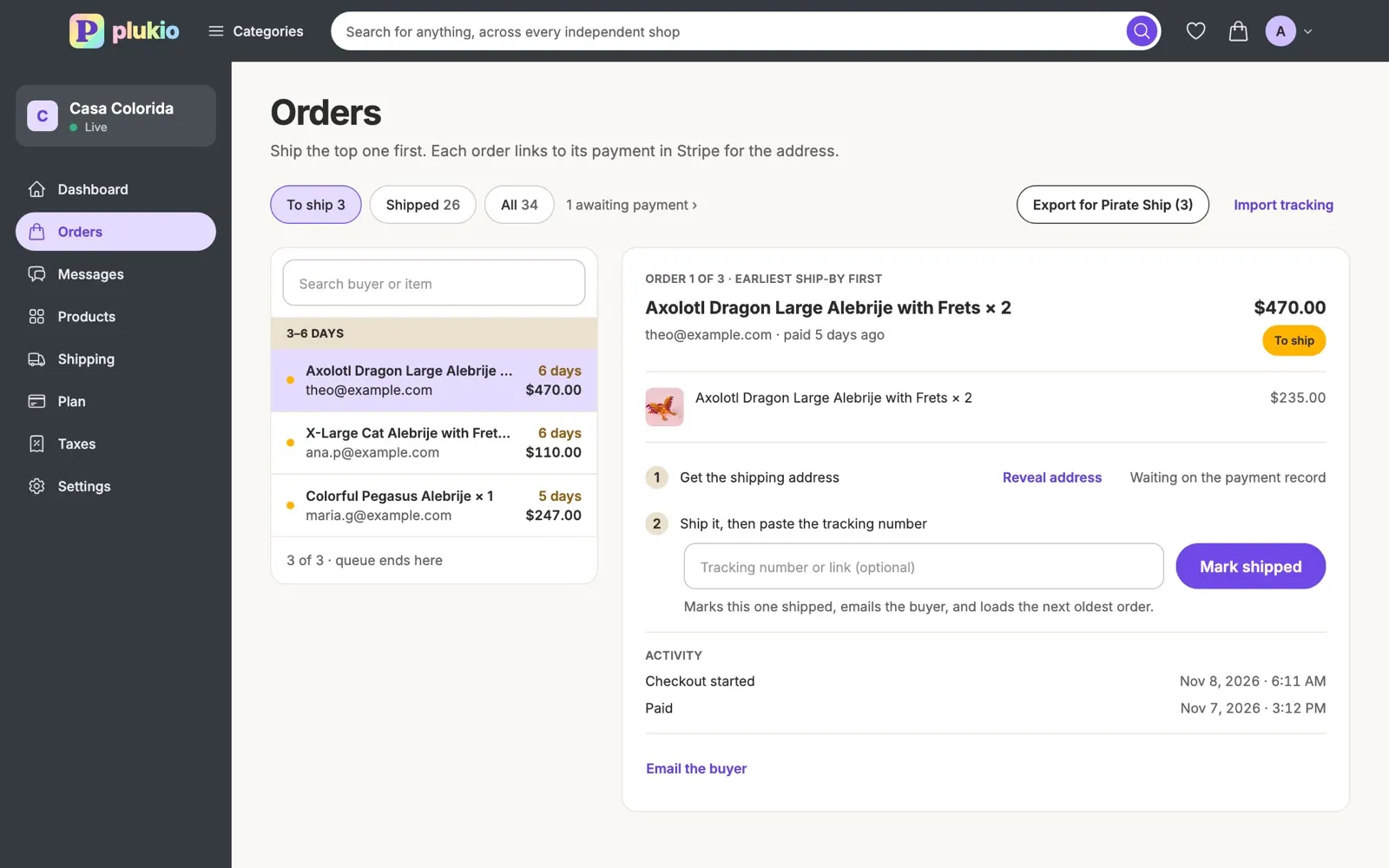
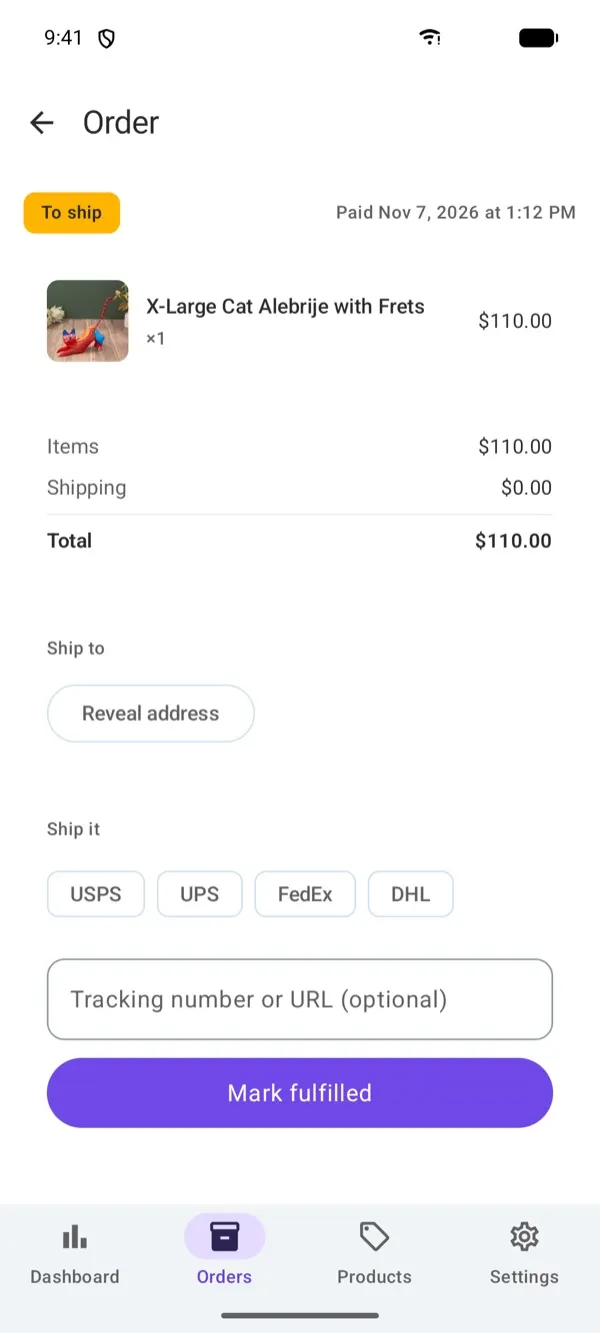
  • Ship-by dates. Your processing time gives every order one, with reminders before it.
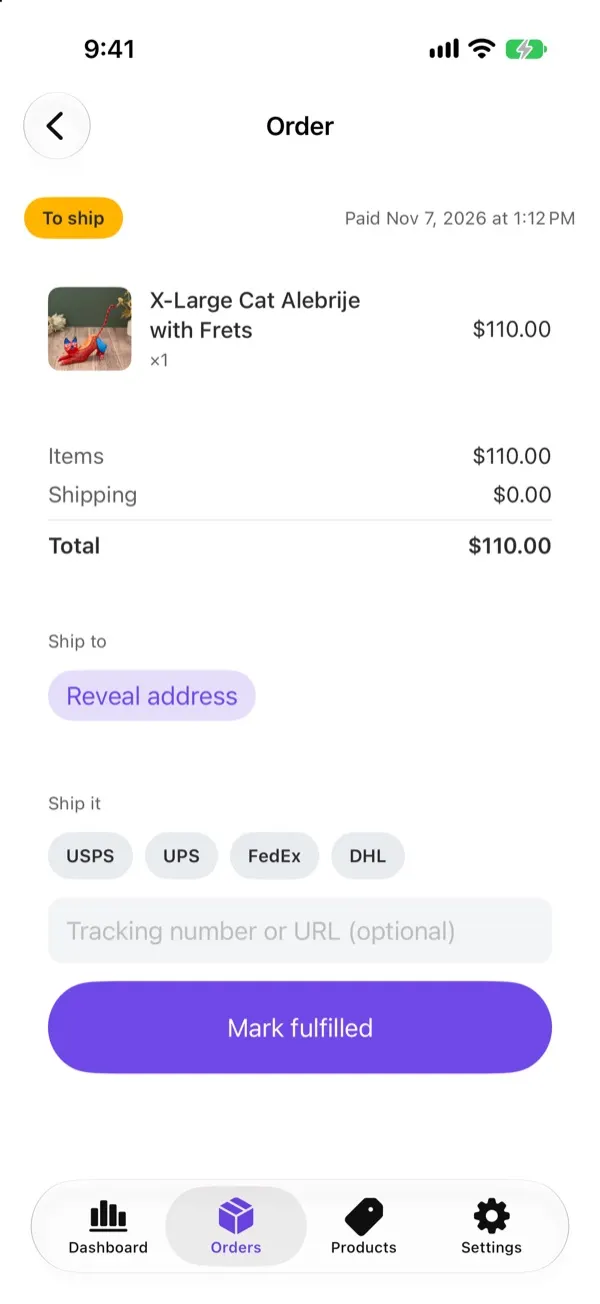
  • Tracking. Add a number, Plukio reads the carrier, and your buyer hears about it.
  • Pirate Ship, for US shops. Export orders to buy labels, then import the tracking.
  • Refunds. Refund items, a whole order or an amount, put stock back, and get Plukio's fee back.
  • Shippo, coming soon! Shipping labels through Shippo are on the way.

Dashboard

How the shop is doing.

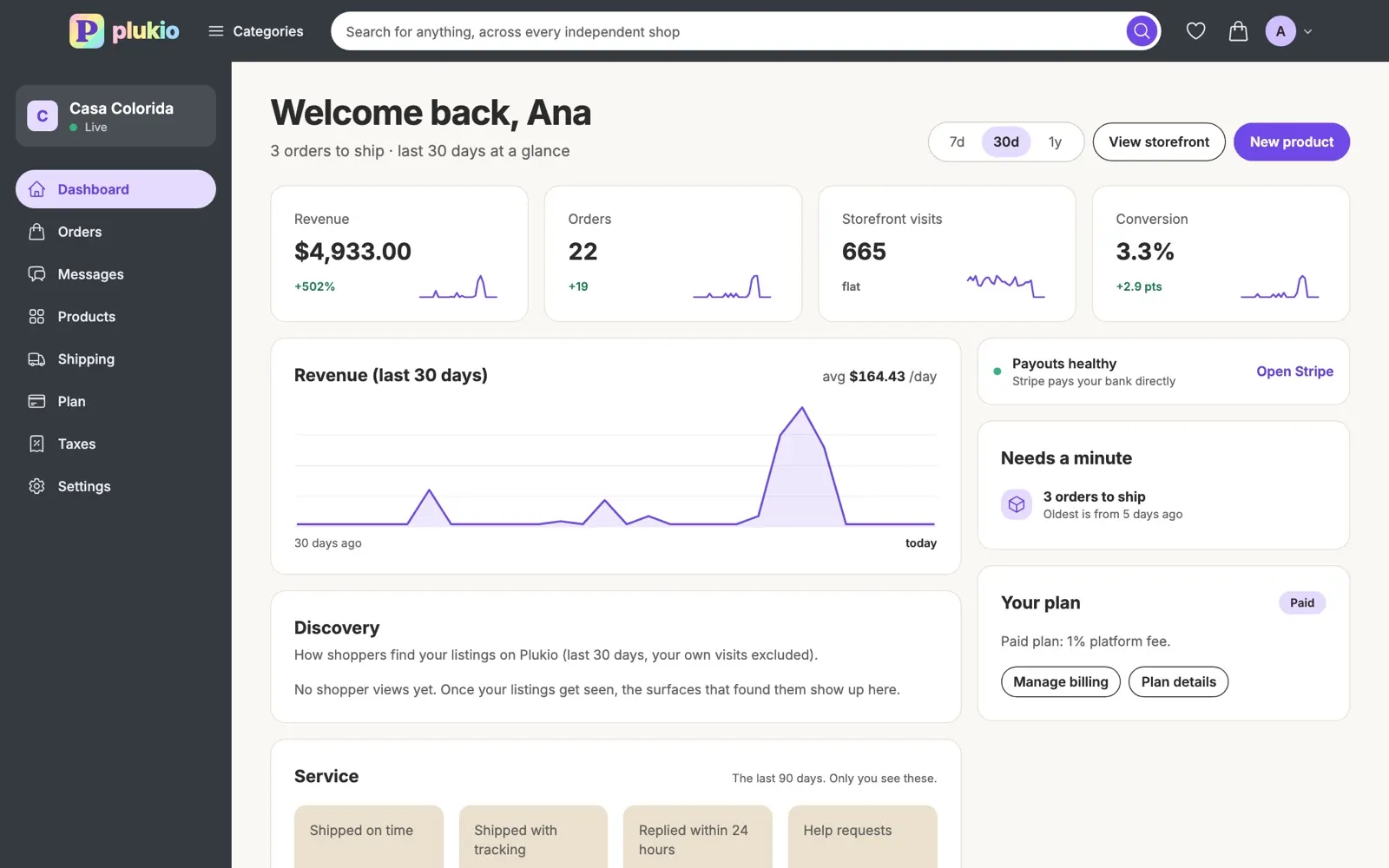
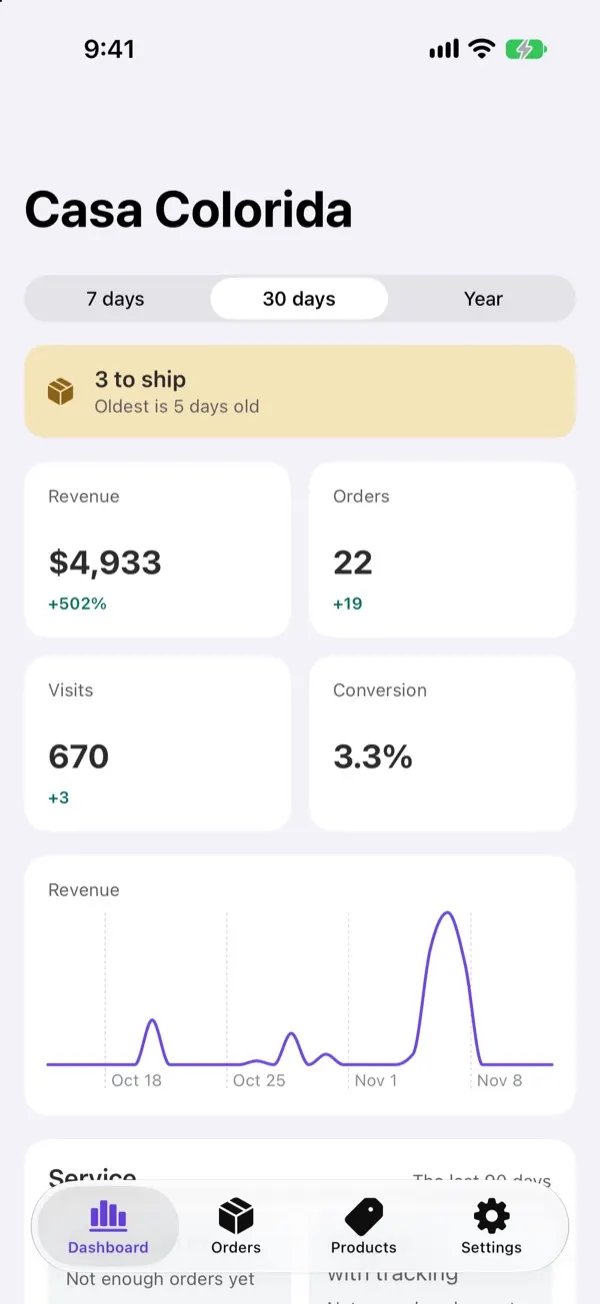
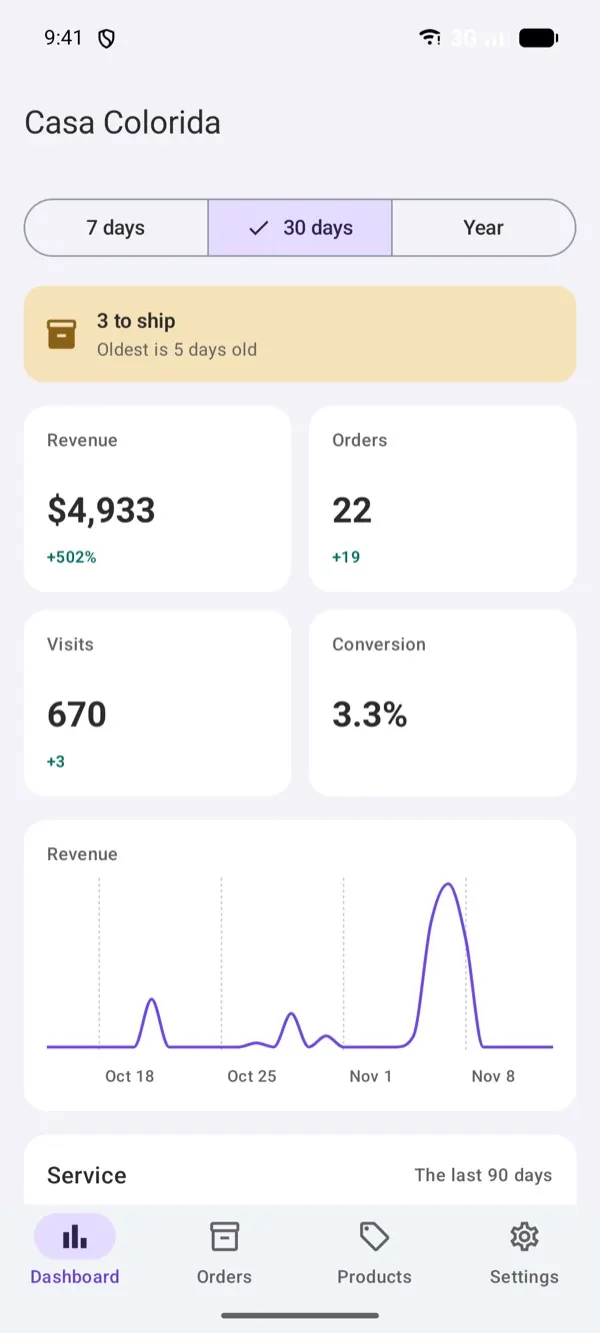
  • Four numbers. Revenue, orders, visits and conversion over 7 days, 30 days or a year.
  • Discovery. Your most viewed listings, and the searches that found you.
  • Service. Shipped on time, shipped with tracking and replies within 24 hours. Only you see these.
  • Weekly summary. On Mondays, your orders, revenue and what's waiting to ship, by email.
  • In your pocket. The same numbers in the Plukio app on iPhone and Android.

Taxes and reports

What your accountant asks for.

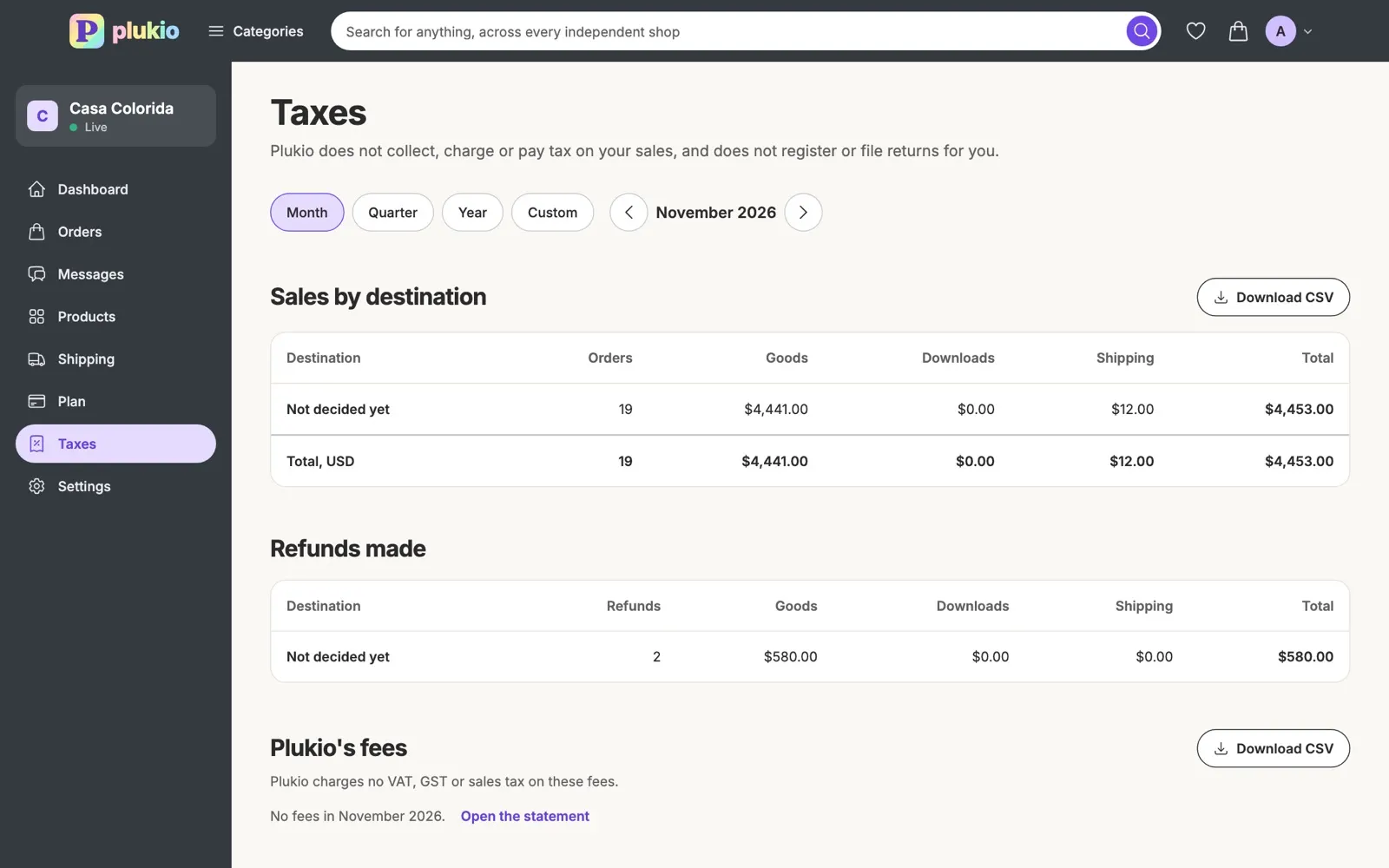
  • Tax figures. What you sold and where it went, by month, quarter or year.
  • CSV downloads. Your sales, refunds, fees and catalog as spreadsheets.
  • Fee statements. A printable statement of every fee Plukio charged you.
  • Your tax number on receipts. Add a VAT number and choose to show it to buyers.
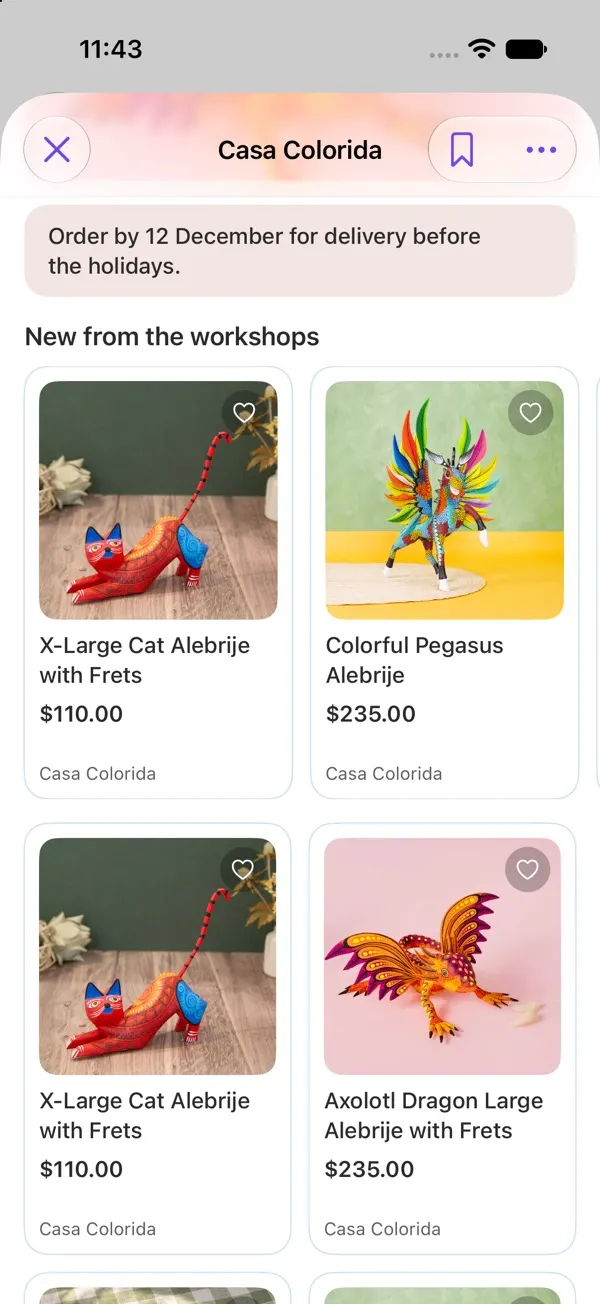
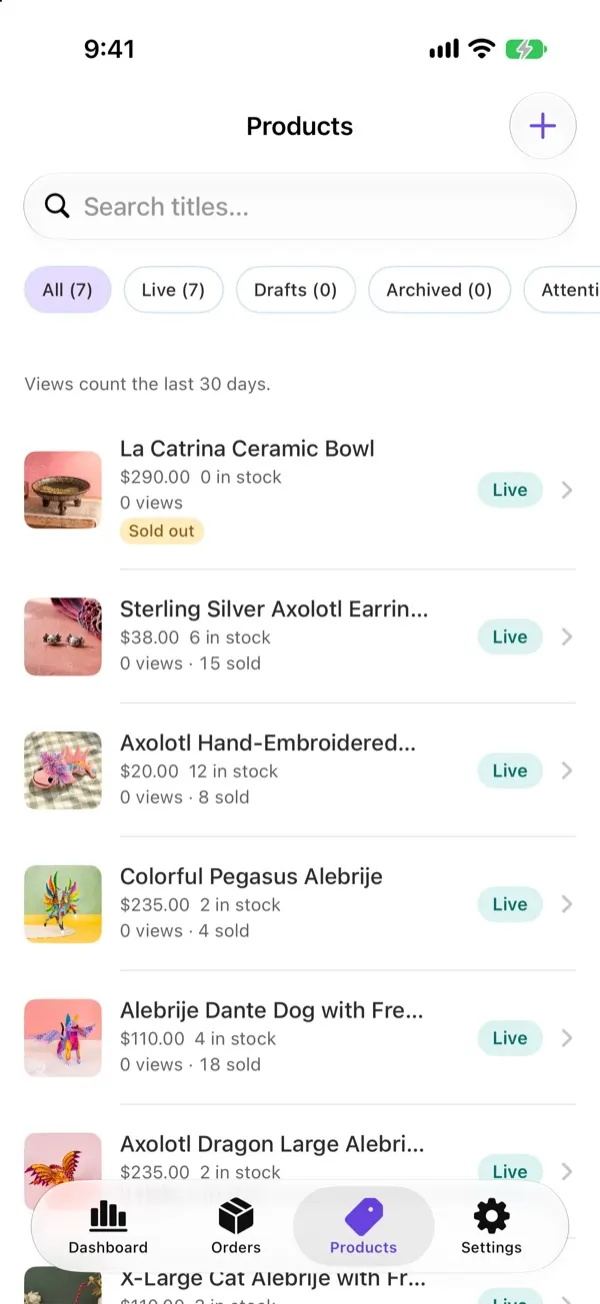
A shop's page on Plukio: its name and a few words about the work, then the seller's own banner with a title and a photo.The shop page editor: the page's sections in a list to drag into order, each with a switch, beside a preview of the page.The seller's product list, with each product's price and stock in boxes to edit in place.The custom order form editor: field types on the left, the form as a buyer sees it in the middle, and how much of a phone screen it fills.The seller's orders page: three orders to ship, and the first one open with a box for its tracking number.The seller's dashboard: revenue, orders, visits and conversion for the last 30 days, with a revenue chart.The seller's Taxes page: sales by destination, refunds made and Plukio's fees, each with a CSV download.

The screens are a demo shop: the website, and the Plukio app on iPhone and Android.

What it costs

There are two ways to sell through Plukio. Pick by where you want buyers to pay.

Plans are priced in US dollars. Plukio's fee on each order is in your shop's currency.

You have your own website

We list your products and send buyers to your store. Buyers check out on your site.

Website listing

One flat price

$4.99 a month

No cut of your sales

Buyers pay on your own site, so there's no fee on an order.

  • Your whole catalog, read from your store and kept up to date
  • Found in search, category pages and the rails of similar things
  • Every buy click lands on your own store
  • Nothing to pay until we've said yes to your shop
  • Stop any time. Your listing comes down when the month you paid for ends.
List my website

You want a shop on Plukio

We host your shop, your product pages and the checkout. Buyers check out on Plukio. Every shop starts on Free and can move to Paid.

Free

Every shop starts here

$0 a month

6% of each order

On a $40 print with $8 shipping, that's $2.88.

  • No monthly cost, nothing to cancel
  • The better deal while you sell under $475 a month
  • Move to Paid when sales make it worth it
  • When paid time runs out, shops land back here. Nothing hides.
Start my shop

Paid

Pays for itself from $475 a month

$19 per 30 days

2% of each order

On a $40 print with $8 shipping, that's $0.96.

Buy a month or a longer stretch

Paid once, no subscription. The monthly can renew itself, only if you turn that on.

Move to Paid any time from your Plan page.

More of what you get

Buyers

Talk to them, and take a break when you need one.

  • Messages. Buyers write to your inbox, and you can write to a buyer about an order.
  • Reviews. Reviews from people who bought here are marked Bought on Plukio.
  • Help requests. You get 48 hours to ship, refund or reply before a buyer can ask Plukio to step in.
  • Going away. Pause your shop. Your page and messages stay open, and resuming brings everything back.

With a website listing

$4.99 a month, no cut of your sales

Your store stays the store. Plukio brings shoppers to it.

  • Your whole catalog. Read from your store and kept up to date.
  • Found where shoppers look. Search, category pages and the rails of similar things.
  • Every buy click is yours. It lands on your own store, so the payment, the customer and the brand stay with you.
  • Nothing to set up. No app to install and no account to connect.
  • Where your store runs. Shopify, Squarespace, Payhip, Fourthwall, WooCommerce, Big Cartel or Wix.
  • Come back any time. If a listing comes down, your catalog is kept.

How it works

Listing your website

Send it, we look, then you pay and go live.

  1. 1

    Send your address

    Type your shop's web address. There's no app to install and no account to connect.

  2. 2

    We take a look

    We look at every shop before it's listed. Once we say yes, PlukioBot reads your catalog, out of sight.

  3. 3

    Start your listing

    You'll get an email when it's ready. $4.99 starts your first month.

  4. 4

    Shoppers find you

    Your shop goes live as soon as you pay, and every click goes to your store.

Opening a shop here

Name it here. Get paid and add your first thing in either order, then open up.

  1. 1

    Name it

    Pick a name and your address is reserved on the spot. Nothing is public until your shop opens.

  2. 2

    Get paid

    Connect Stripe so buyers can pay you. Stripe asks for your identity and bank details; that check is theirs, and we only ever see that it passed.

  3. 3

    First thing

    Add at least one thing to sell, physical or digital. Drafts don't need Stripe, so you can do this while Stripe checks.

  4. 4

    Open up

    Tell us a little about you and what you make. We look at every new shop before it opens, and you'll get an email either way.

How you get paid

  • Buyers pay you directly. On your own website, or here through your own Stripe account.

  • Plukio never holds your money. For a shop here, Plukio's fee comes out at payment and the rest is yours.

  • Refunds stay yours too. You run them wherever the sale happened.

  • New shops are paid as they ship. While your shop is new, each order's money is paid out once you ship it. After 10 shipped orders and 60 days, Stripe pays on its usual schedule.

Leaving and opting out

  • Leave any time. Stop your listing or close your shop whenever you like. Nothing on your own site changes.

  • You can opt out with one rule. A robots.txt rule keeps PlukioBot off your site for good.

  • PlukioBot signs every request. So you can check that traffic claiming to be Plukio really is. How to check

Frequently asked questions

Listing your website

My shop is already on Plukio. Do I have to pay?

No. Shops listed before the fee stay listed, free. If that ever changes, you'll hear about it well before it applies.

When do I pay?

Only after we've looked at your shop and said yes, and PlukioBot has read your catalog. You'll get an email, and paying puts your shop live right away.

What if I stop paying?

Your listing comes down when the month you paid for ends. Nothing on your own site changes, and you can come back any time.

Do shoppers buy on Plukio or on my store?

On your store. Every buy click lands on your own storefront, so the payment, the customer and the brand are all yours.

Can I list my Etsy shop?

No, Etsy doesn't allow it. A shop here needs no website at all, and if you open one, you can bring your Etsy listings in as drafts from the file Etsy downloads for you: Bringing your listings over from Etsy.

My shop only has a myshopify.com address. Does that count?

Yes. If you never set up your own domain, yourshop.myshopify.com is your shop's address, so list it as it is. If you have your own domain, use that one: it's the address shoppers actually visit.

A shop here

I have a website. Should I open a shop here too?

You don't need to. List your website instead, and buyers check out on your site. A shop here is for makers who would rather not run one.

Do shops here get a boost in search?

A small one, and only where it's fair. Where Plukio ranks by relevance (search results, category pages, the rails of similar things and shopping-list suggestions), listings from shops opened here get a capped nudge on top of the relevance they already earned, and two spots in the featured shops row are kept for them. It never shows a listing that didn't match what someone asked for, and it never touches an order that states a fact: price, newest, trending. Hand-picked collections and a shop's own page stay as they are. We call it Home Field Advantage.

What can I sell?

Things you make yourself, physical or digital: pottery, prints, patterns, fonts, STL files. We look at every shop before it opens and pass on resold, dropshipped or AI-made goods, and the prohibited items list applies too.

Can I use AI?

Not to make what you sell. AI-generated digital art is not allowed here at all. A physical thing you make yourself can carry a label designed with AI: the label on a shave soap, for one. Take your product photos yourself. Small touch-ups are fine, with AI too, but a photo that is clearly AI-generated counts as a strike against your account.

What does Stripe charge?

Stripe's standard processing fee, taken from each payment in your own Stripe account. It's the same on both plans, and it's separate from Plukio's fee.

Can I sell digital files?

Yes. Buyers pay here and download their files from plukio.com.

How long does review take?

There's no set time, because a person reads every new shop. Keep adding things while you wait; you'll get an email either way.

Can I change plans later?

Any time, from your Plan page. Paid time stacks on what you have left, auto-renew stays off unless you turn it on, and when paid time runs out you're back on Free after a 7-day grace. Nothing is ever hidden or deleted.

Shopify, Squarespace, Payhip, Fourthwall, WooCommerce, Big Cartel and Wix are trademarks of their respective owners. Plukio is an independent service that lists shops and is not affiliated with, sponsored by, or endorsed by any of them.


List your website

For a shop you already run on its own site.

$4.99 a month No cut of your sales

Shoppers find your work in Plukio's search, and every buy click lands on your own store.

Shopify, Squarespace, Payhip, Fourthwall, WooCommerce, Big Cartel or Wix.

You'll sign in next (an email link or Google) and come back to this address.

Nothing to pay until we've looked at your shop and said yes.

Open a shop here

No website needed.

Free to open 6% of each order, or Paid at 2%

List what you make, buyers check out right here, and every payment lands in your own Stripe account.

It sets the currency your shop prices and takes payment in, for good.

your-shop.plukio.com

Your shop's name is its address. You can rename once every 30 days, and old addresses keep redirecting.

You'll sign in next (an email link or Google) and come back to this name.

You start on Free: nothing to pay until something sells. What it costs

By starting a shop you agree to the Seller Terms: among other things, you're responsible for the taxes on your sales.